
WomenDevsSG is a community dedicated to empowering women in tech across any experience level and domain. Our events are free to attend. You can register for our events on our Meetup page.
Recently, it has come to our attention that some members see a “Join Meetup+” popup when trying to register for our events and are unsure how to proceed or close the window.
Please note that you do not need to subscribe to Meetup+ to attend any WomenDevsSG events.
How to proceed
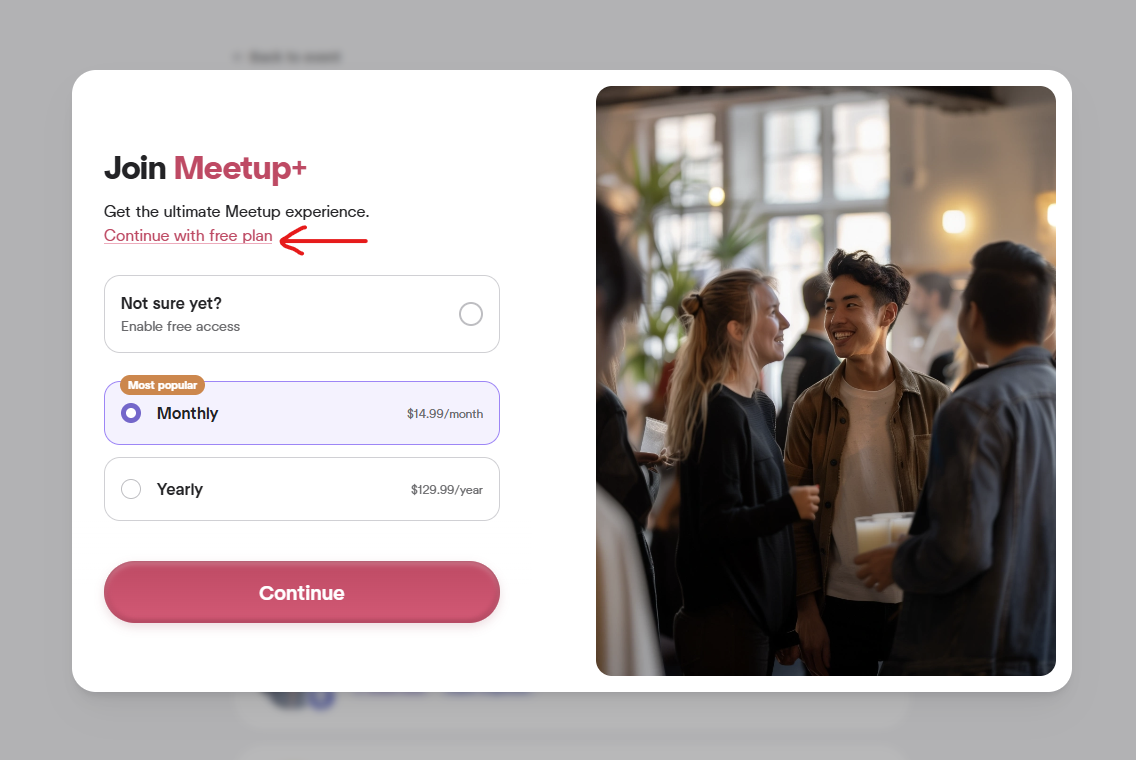
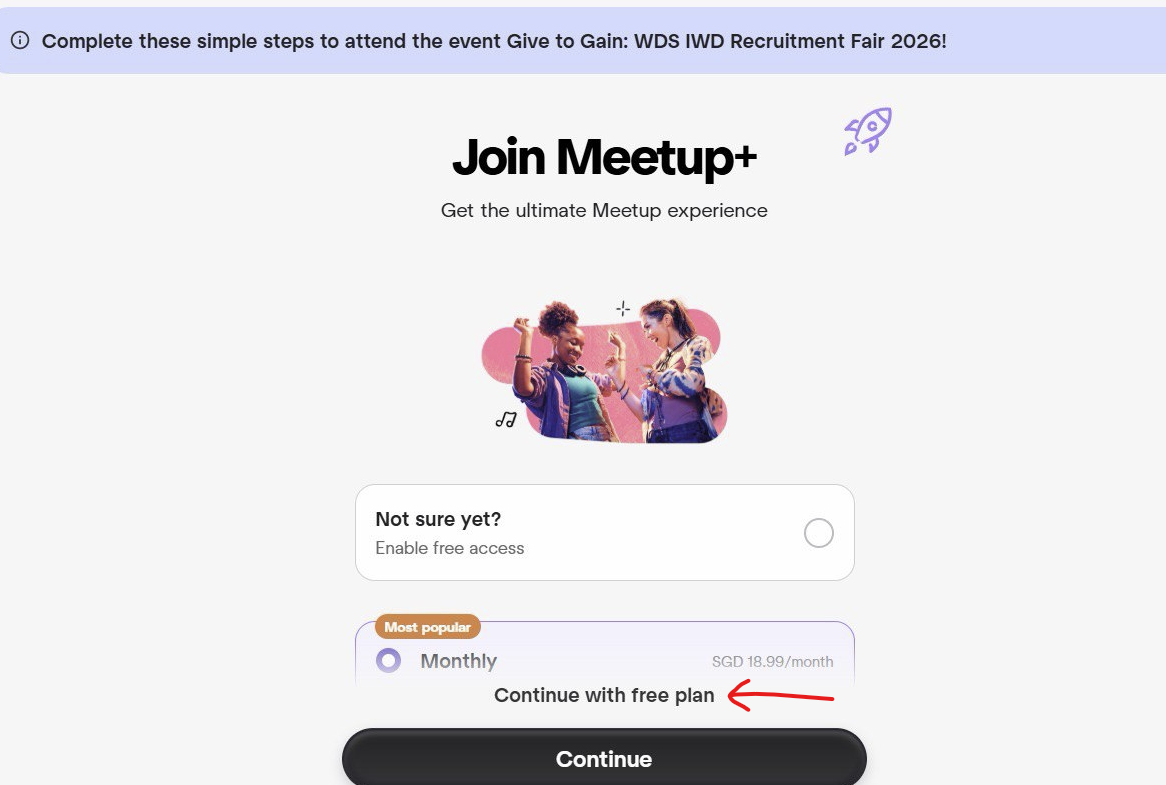
If you see the popup, look for the text:
Continue with free plan
Clicking this text will close the popup and allow you to continue with your event registration.
Examples
Meetup presents this popup differently depending on the device and platform you are using. Below are some screenshots for your reference.
Still stuck?
If you’ve clicked Continue with free plan and the window still doesn’t close and ask you to pay for Meetup+, please reach out to us on our Telegram community channels or email us at womendevssg@gmail.com and we’ll help you through it. Please continue supporting WomenDevsSG and join our events!